for iOS  ·  Patent Pending
Signal Bullseye app icon

Align Antennas with
Camera Precision

Mount your iPhone on the antenna, sweep, and watch Signal Bullseye pin each RSSI reading to the exact direction it came from. No GPS. No compass. No guesswork.

Workflow

From Mount to Alignment in Minutes

No compass, no GPS, no IMU required — just your phone's camera and an SSH or SNMP connection to the radio.

01

Mount & Connect

Attach your iPhone to the antenna mast. Open Signal Bullseye and connect to the radio's CLI via the built-in SSH terminal.

02

Start Sweeping

Enable auto-shoot and sweep the antenna. The app tracks pointing direction using camera optical flow — no orientation sensors involved.

03

Read the Signal Map

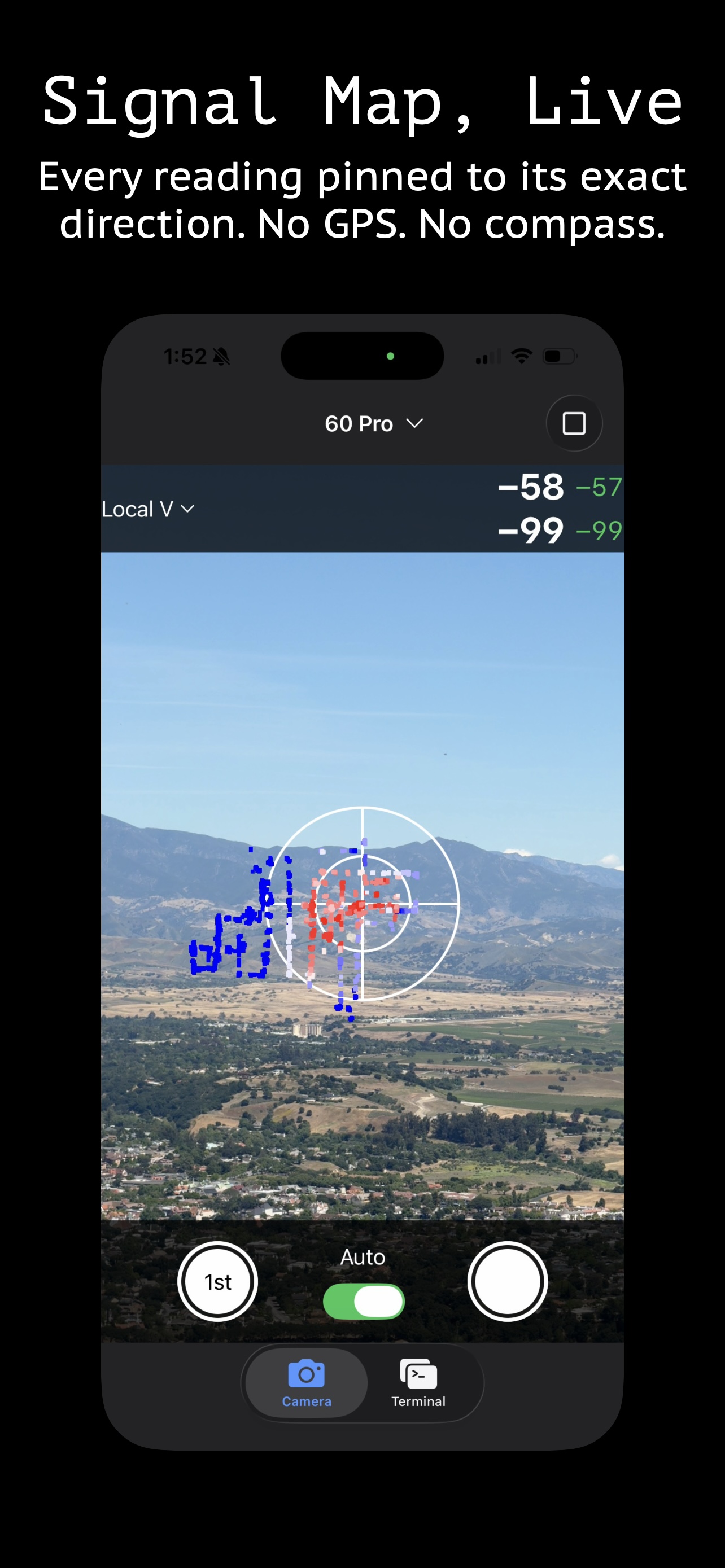
Each RSSI reading appears as a colored dot on the live camera view, pinned to the direction it was measured.

04

Return to Peak

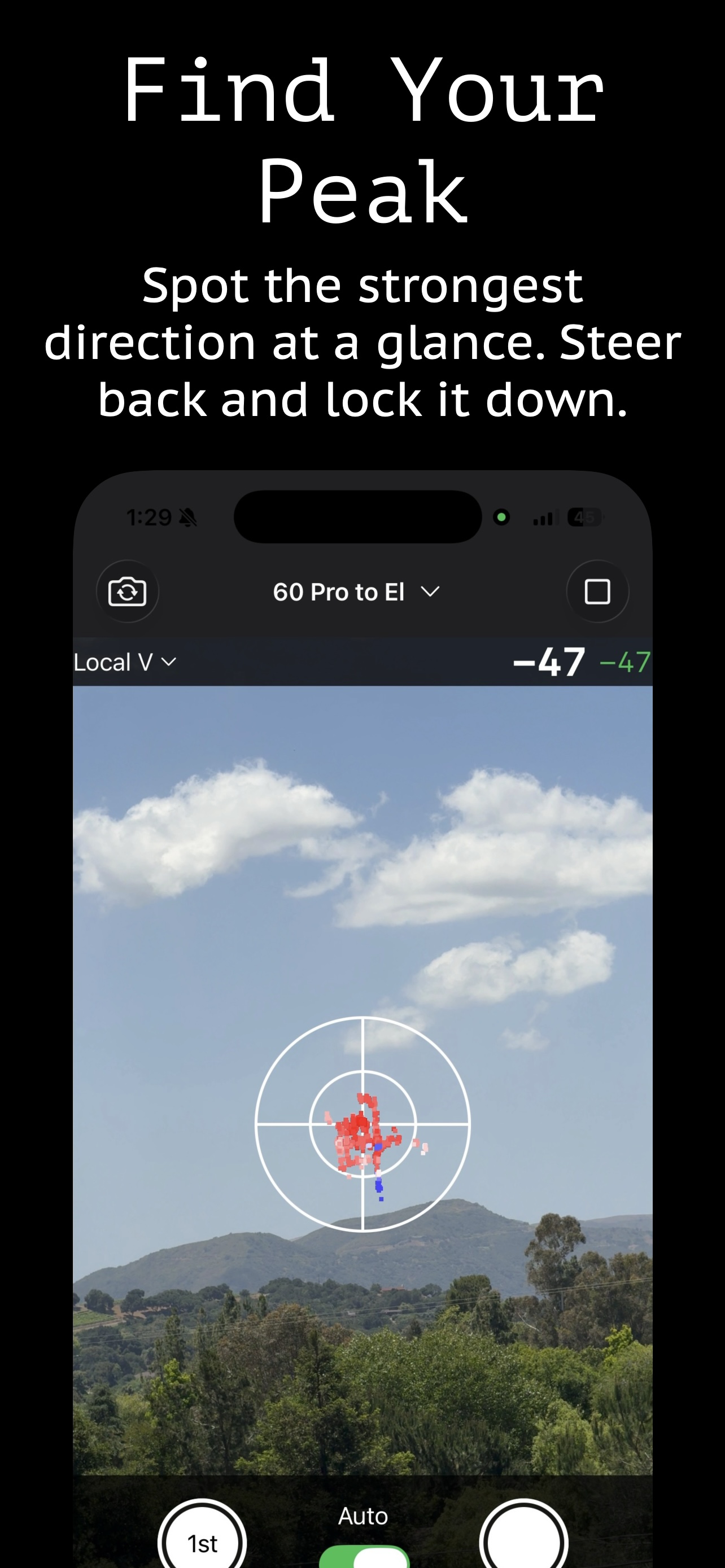
The map makes peak signal obvious. Steer back to that direction and lock the antenna down.

💡

Placement Tip

The camera doesn't need to be precisely aimed at the far-end radio — roughly pointed is fine. More important is a stable background: keep long grass or leaves that wave in the wind out of frame, since that movement looks the same as the antenna turning and will throw off tracking.

Setup

Mounting Your Phone

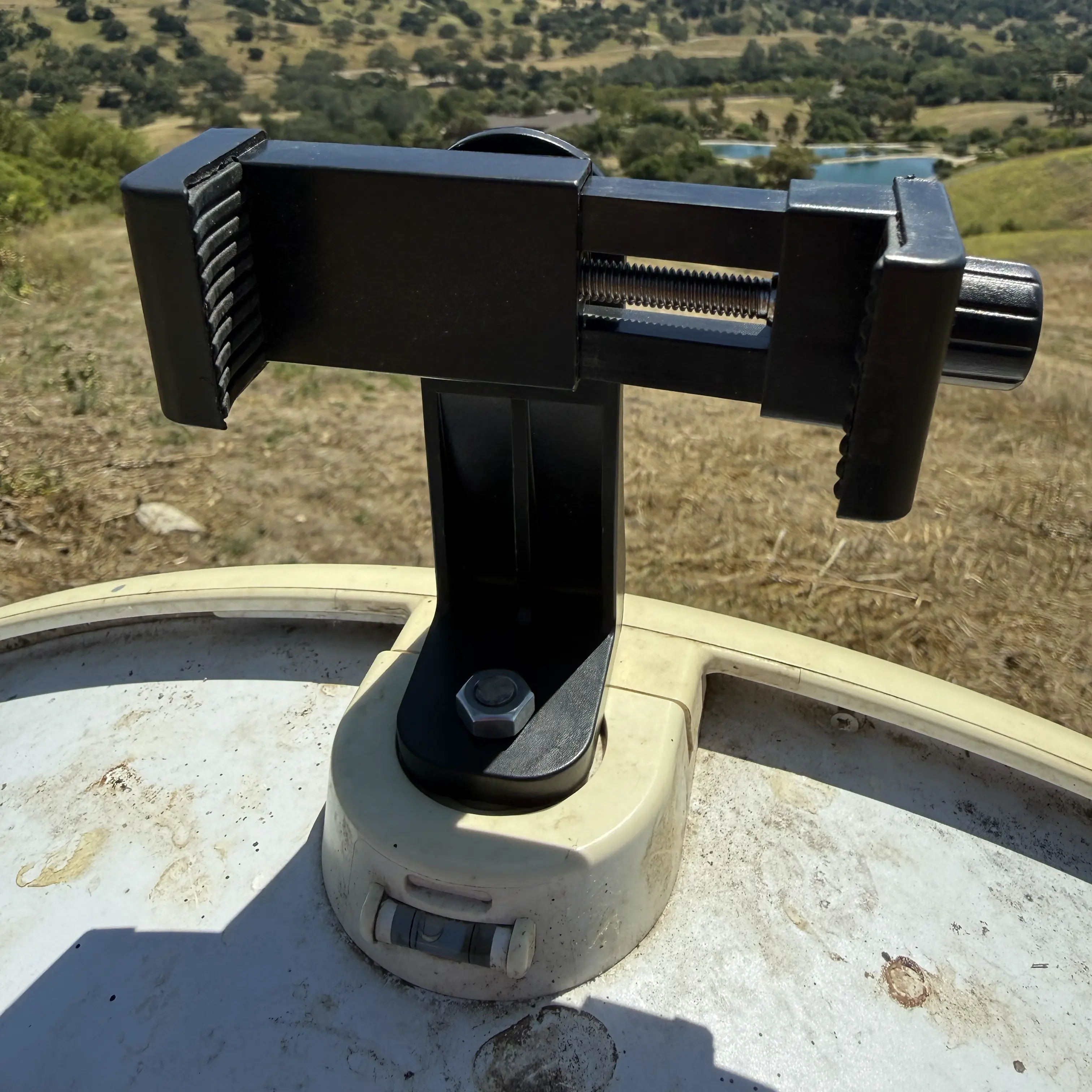
Any phone mount that attaches rigidly to the antenna works. Here are three approaches proven in the field.

Phone holder attached to AirFiber 60 XR via the built-in ¼-20 tripod boss
AirFiber 60 XR · ¼″-20 bolt into the built-in tripod boss
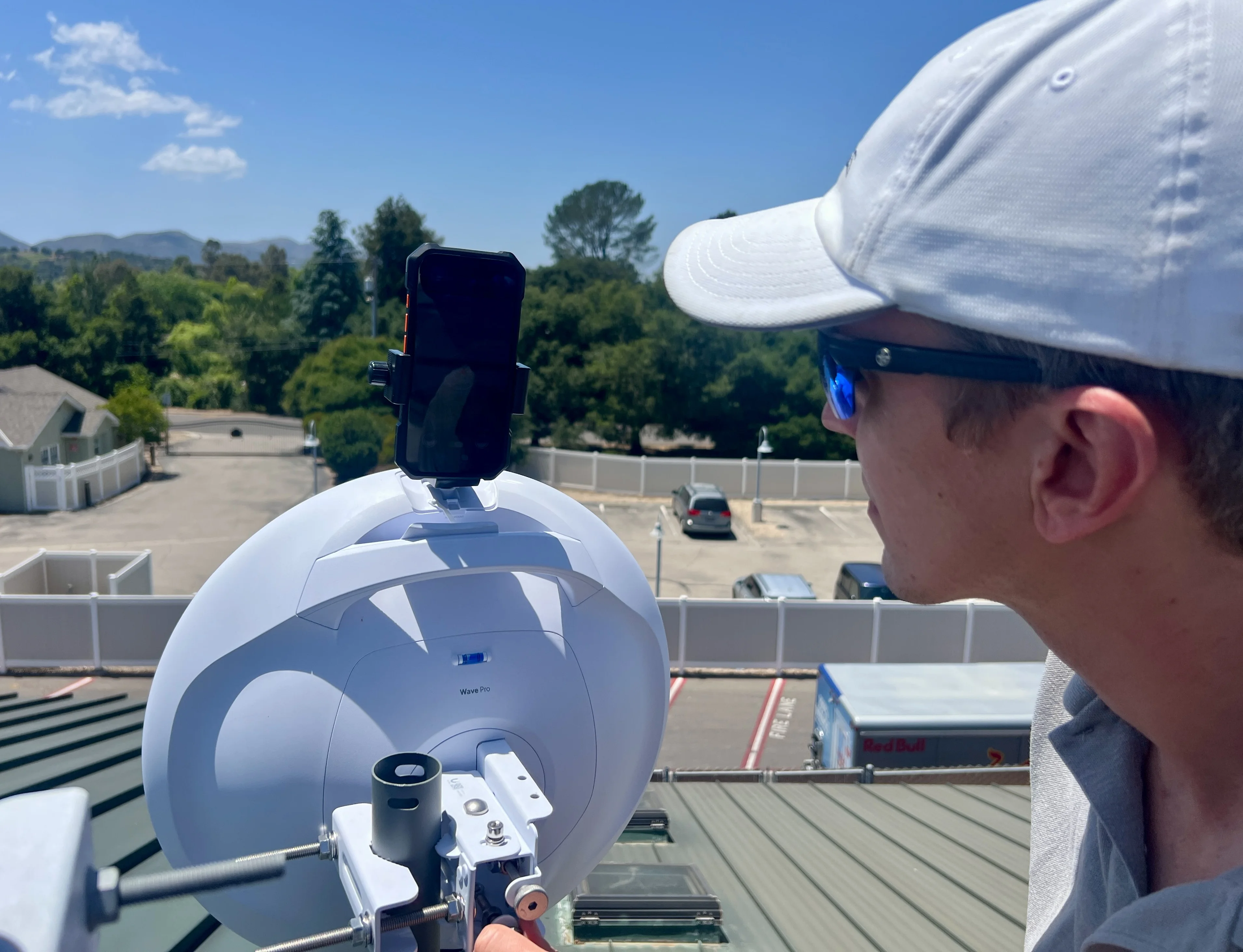
Technician aligning a Ubiquiti Wave Pro with iPhone mounted on the built-in ¼-20 tripod boss
Wave Pro · phone bolted to the built-in tripod boss
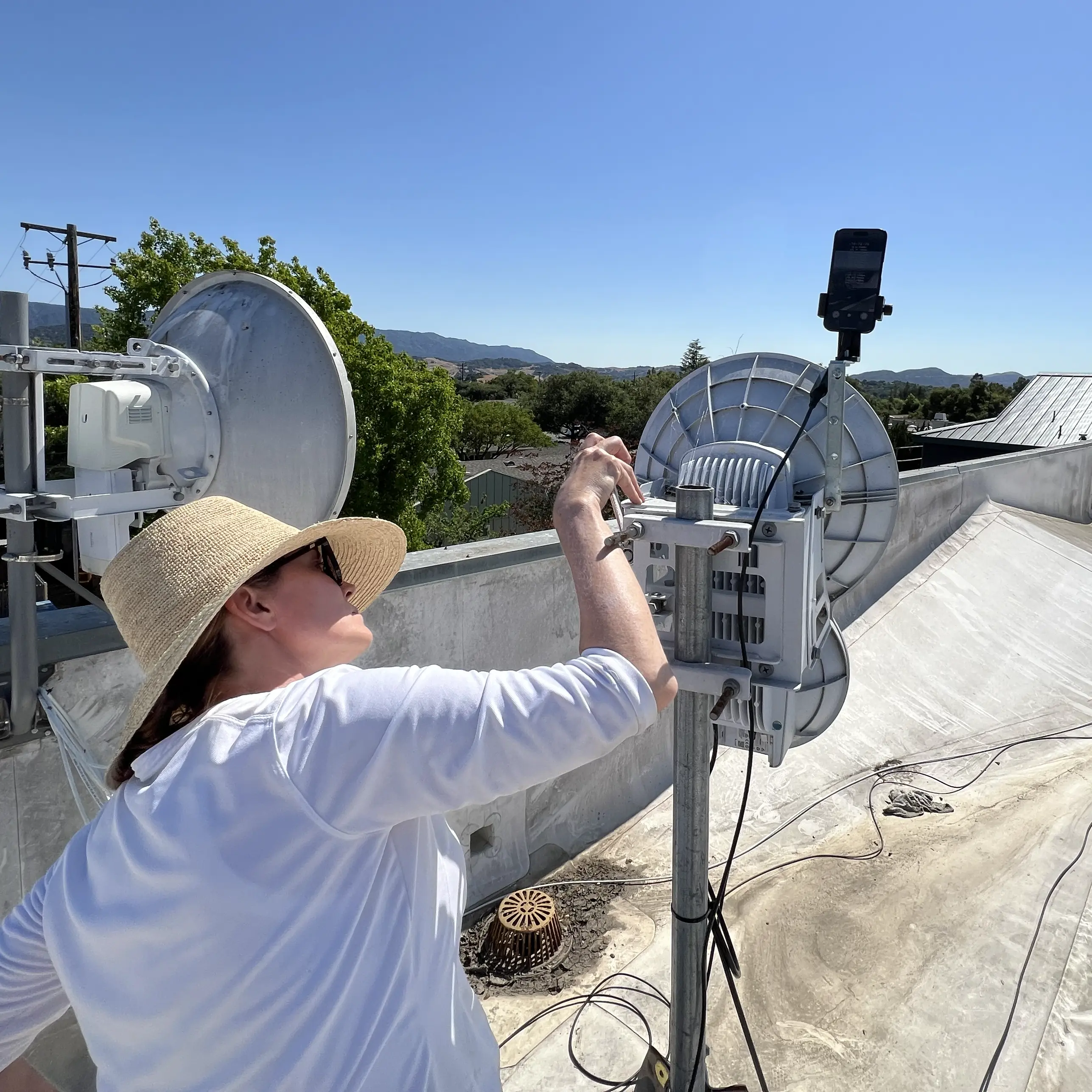
Technician sweeping AirFiber 24 with iPhone mounted on L-bracket, rooftop alignment in progress
AirFiber 24 · alignment sweep in progress
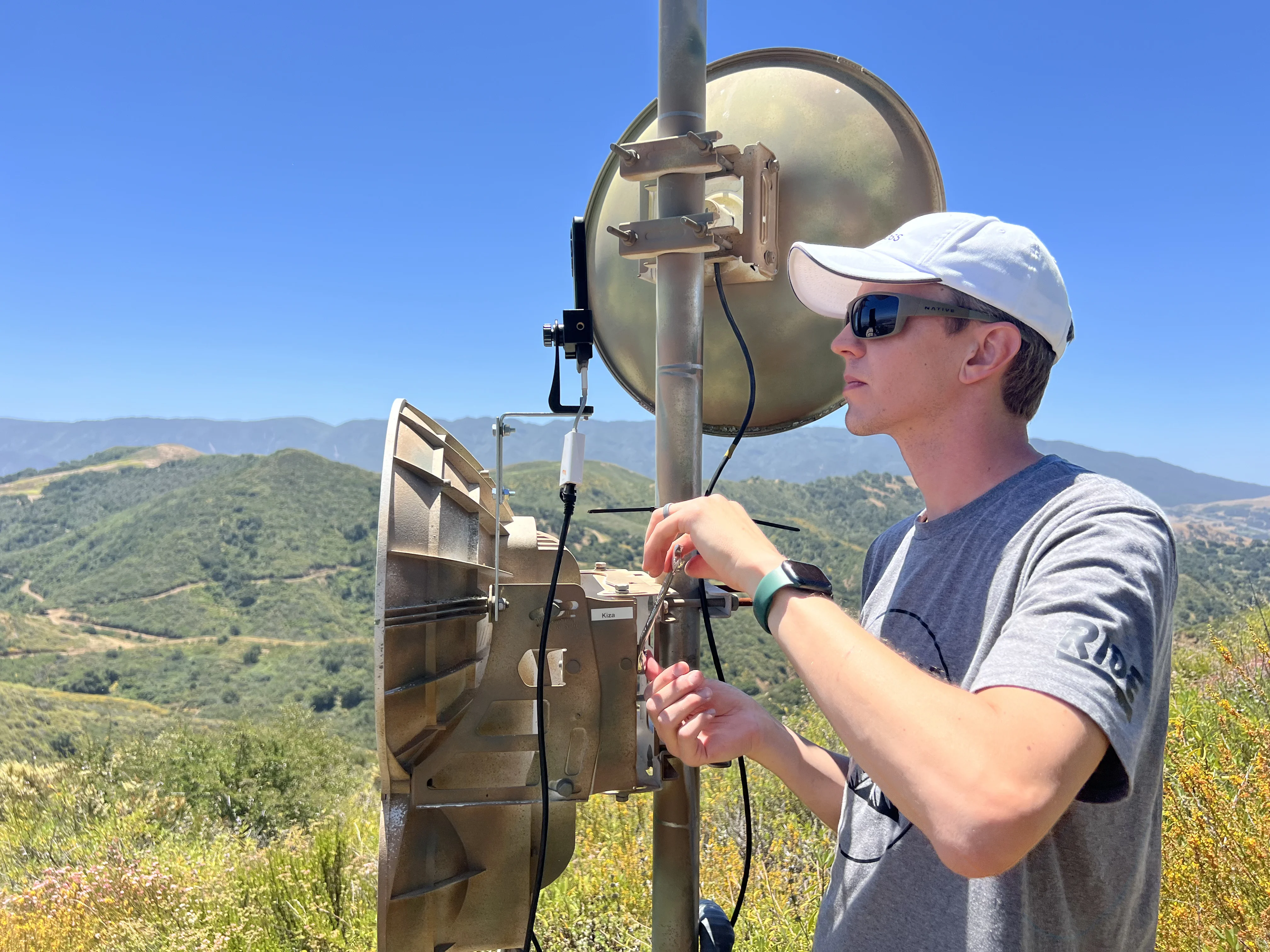
Technician adjusting AirFiber 24 with phone mounted, hilltop installation with mountain valley behind
AirFiber 24 · hilltop installation

The AirFiber 60 XR, Wave Pro, and Wave LR all have a built-in ¼″-20 tripod boss. Any phone holder with a standard tripod thread drops right in with a bolt or short threaded rod and nut. For antenna bodies without a tripod boss, a C-clamp or clutch clamp works with many phone holders. The AF-24 uses a custom steel L-bracket bolted to the antenna body using the existing mounting bolts. Phone holder we use →

Connectivity

🔌

Ethernet Dongle

Most reliable option. Use a Lightning-to-Ethernet adapter (iPhone 14 and earlier) or a USB-C Ethernet adapter (iPhone 15 and later). Plug directly into the radio's management port, a switch on the same subnet, or a router with access to the radio's management IP, then SSH in from Signal Bullseye's built-in terminal.

📶

Wi-Fi

Some radios broadcast a management SSID. Alternatively, bring your own Wi-Fi with access to the management IP. Join it from Settings → Wi-Fi, then connect via Signal Bullseye's SSH terminal. No adapter needed. Useful to avoid the cable tangles.

📡

Cellular + VPN

If the radio is only reachable through the link it backhauls, connect the iPhone to cellular and use a VPN that routes into the site's management subnet. Useful on remote or elevated sites where running a cable isn't practical.

In The Field

Real Alignments, Real Signals

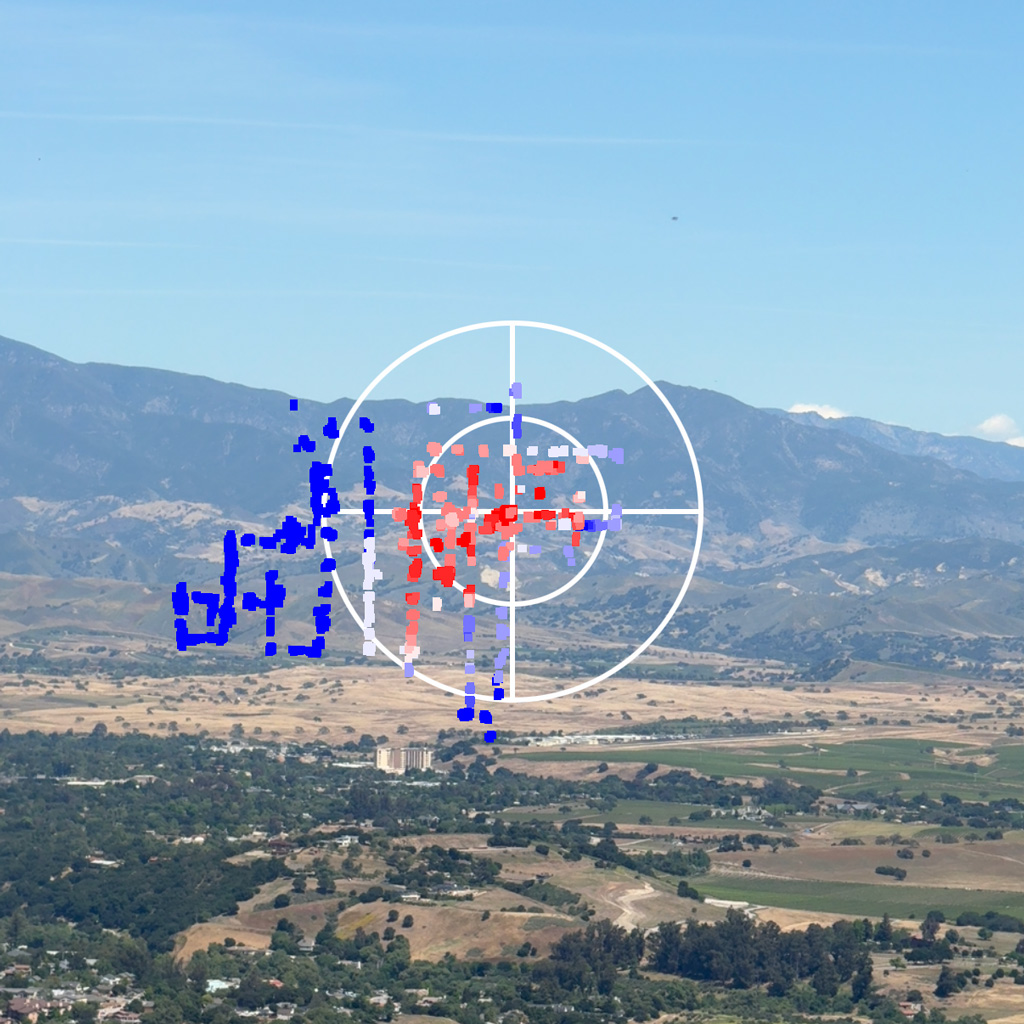
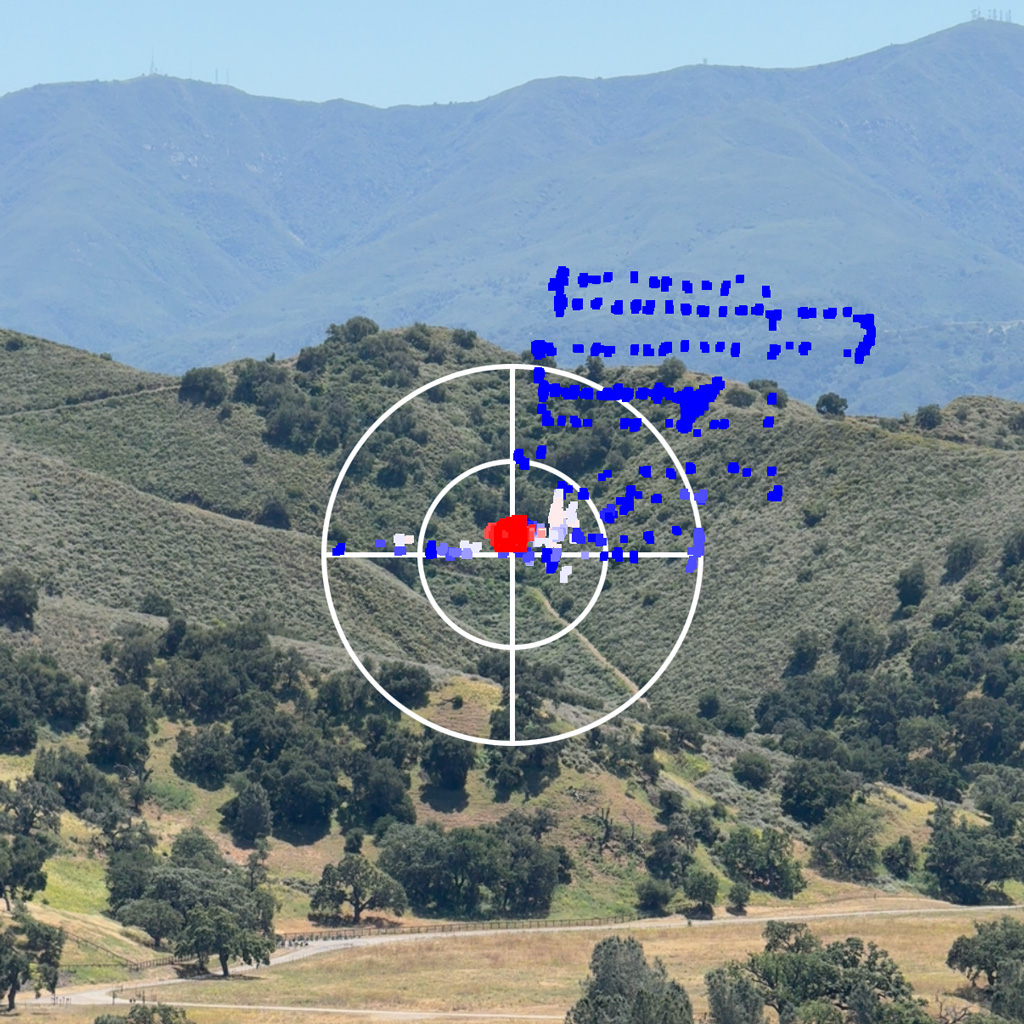
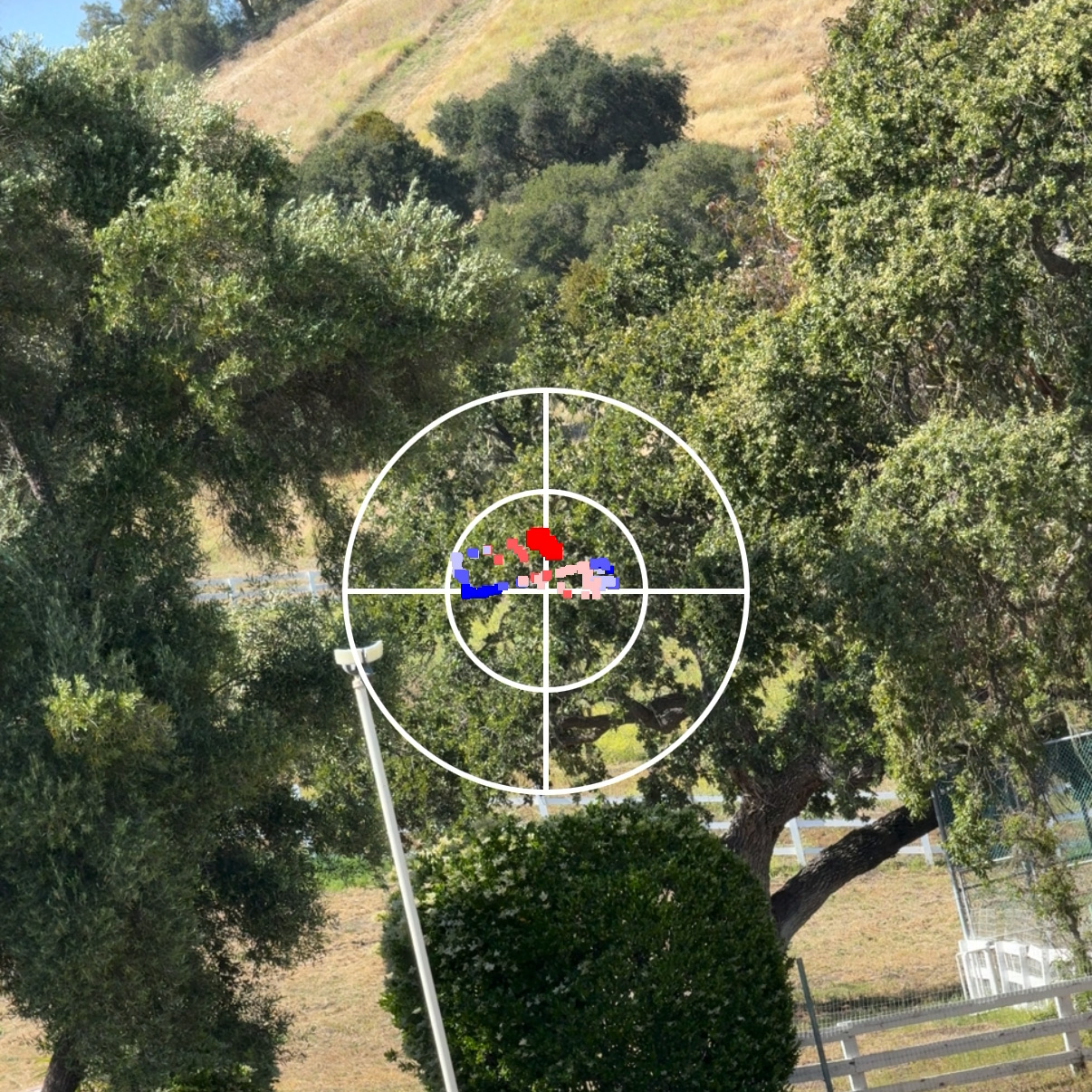
Screenshots taken during live antenna alignment sessions. The dots are real RSSI readings, pinned to real directions.

Signal map over mountain valley link. Strong returns cluster at bullseye center
Mountain PTP link · Peak locked
Spatial RSSI scatter plot on hillside. Early sweep showing signal spread across pointing angles
Mid-sweep · Hotspot just found
Phone mounted on CPE antenna mast with signal overlay visible through oak trees, demonstrating the camera does not need to point exactly at the far end
Phone at the CPE not pointing directly at far end · Overlay tracks as you pan

Signal Bullseye builds a spatial RSSI map in real time as you sweep. The peak direction is always visible — and always returnable to.

signal-bullseye  ·  live alignment

App Store Preview

Signal Bullseye — Signal Map, Live screen

Signal Map, Live

Signal Bullseye — Find Your Peak screen

Find Your Peak

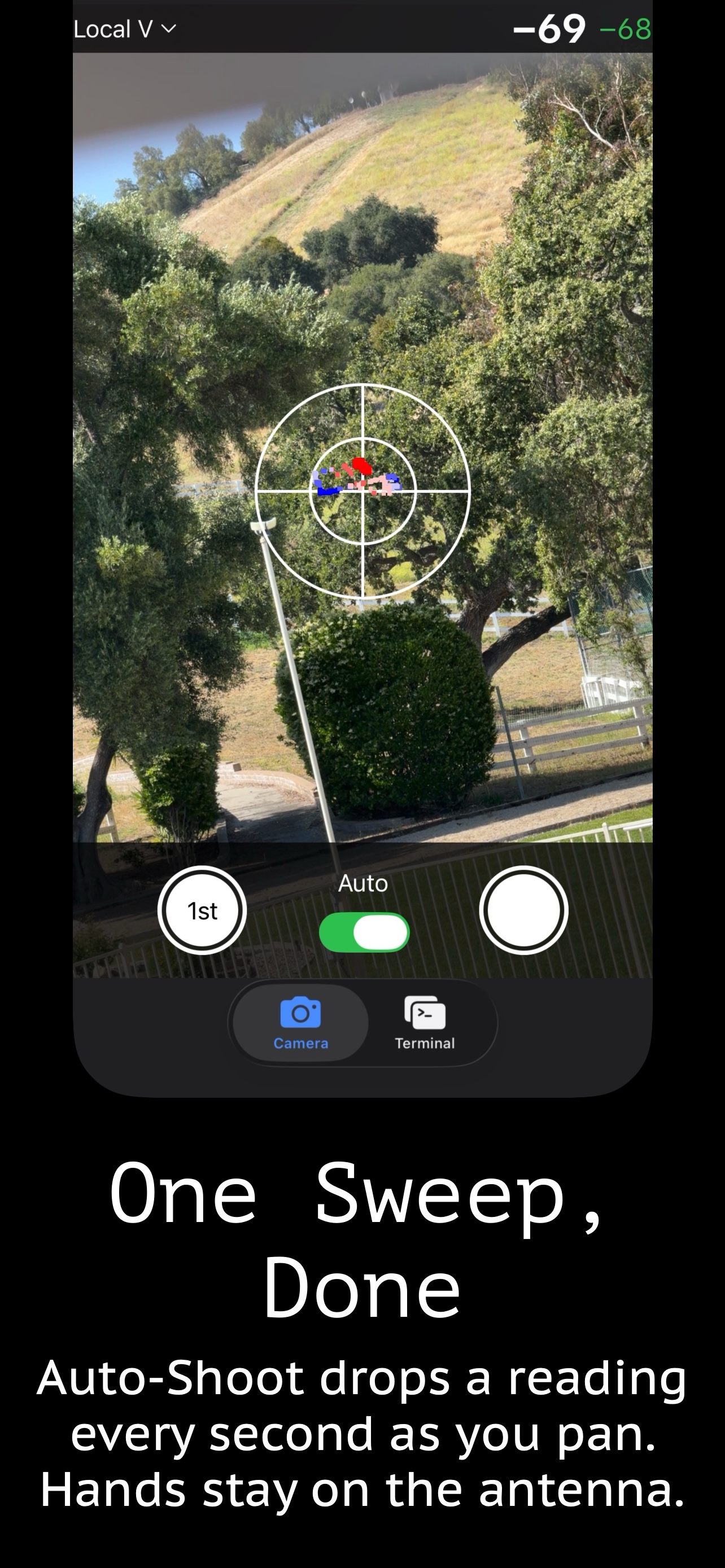
Signal Bullseye — One Sweep, Done screen

One Sweep, Done

Capabilities

What's in the App

Built for microwave backhaul, mmWave, and WISP point-to-point link alignment.

01

Optical Flow Tracking

Uses Apple's Vision framework to measure how much the camera moved between frames. No orientation sensors involved — the camera is the only position reference.

02

Live Signal Overlay

RSSI readings appear as color-coded dots on the live camera view, each anchored to the exact antenna direction where it was captured.

03

Built-in SSH Terminal

Full-featured SSH terminal emulator with host management, SSH key support (including Secure Enclave), and regex-based RSSI extraction from any radio CLI or via SNMP polling.

04

Auto-Shoot Mode

Captures readings automatically as you sweep. Volume buttons work as a manual trigger. Saved snippets let you kick off a radio polling script with one tap.

05

Dual-Polarization Support

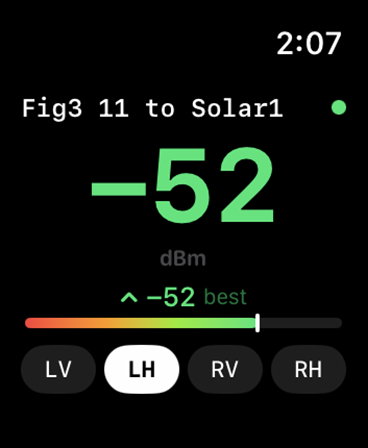
Track Local V, Local H, Remote V, and Remote H simultaneously. Switch between planes to optimize cross-pol isolation and peak direction together.

06

Secure Key Storage

SSH private keys stored in the iOS Secure Enclave are hardware-protected and never extractable as plaintext. RSA, Ed25519, and ECDSA supported.

Audience

Who Uses It

Anyone who installs, aligns, or troubleshoots directional wireless links.

WISP Installers

Point-to-point and point-to-multipoint CPE alignment

Backhaul Engineers

Microwave and mmWave licensed link commissioning

Tower Crews

Sector and PTP alignment during new site builds

RF Technicians

Signal pattern analysis and interference troubleshooting

Camera-based antenna alignment technology patent pending. Signal Bullseye is developed and maintained by KIZA, Inc.

Stop Guessing.
Start Pinpointing.

Signal Bullseye is free on the App Store.
(subscription required for alignment features)

Download on the App Store